LoRaWAN Gateway Planning
LoRaWAN Indoor Coverage Simulator
Plan and optimize LoRaWAN gateway placement in buildings using theoretical radio propagation models. Import floor plans, define wall attenuation, and generate 3D coverage maps.
StartHow it works
01
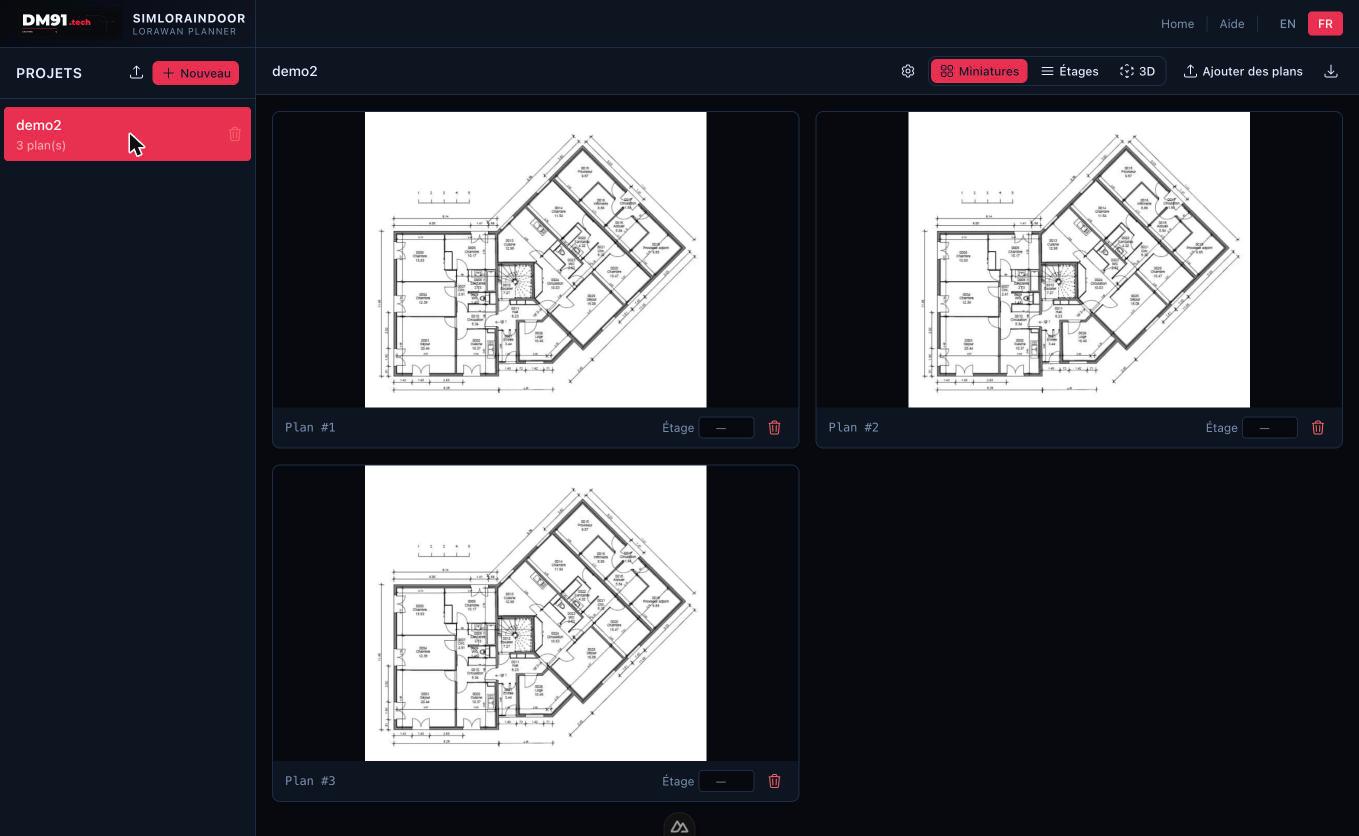
Import floor plans
Upload building plans from PDF files or images. Organize multiple floors with precision and ease.
02
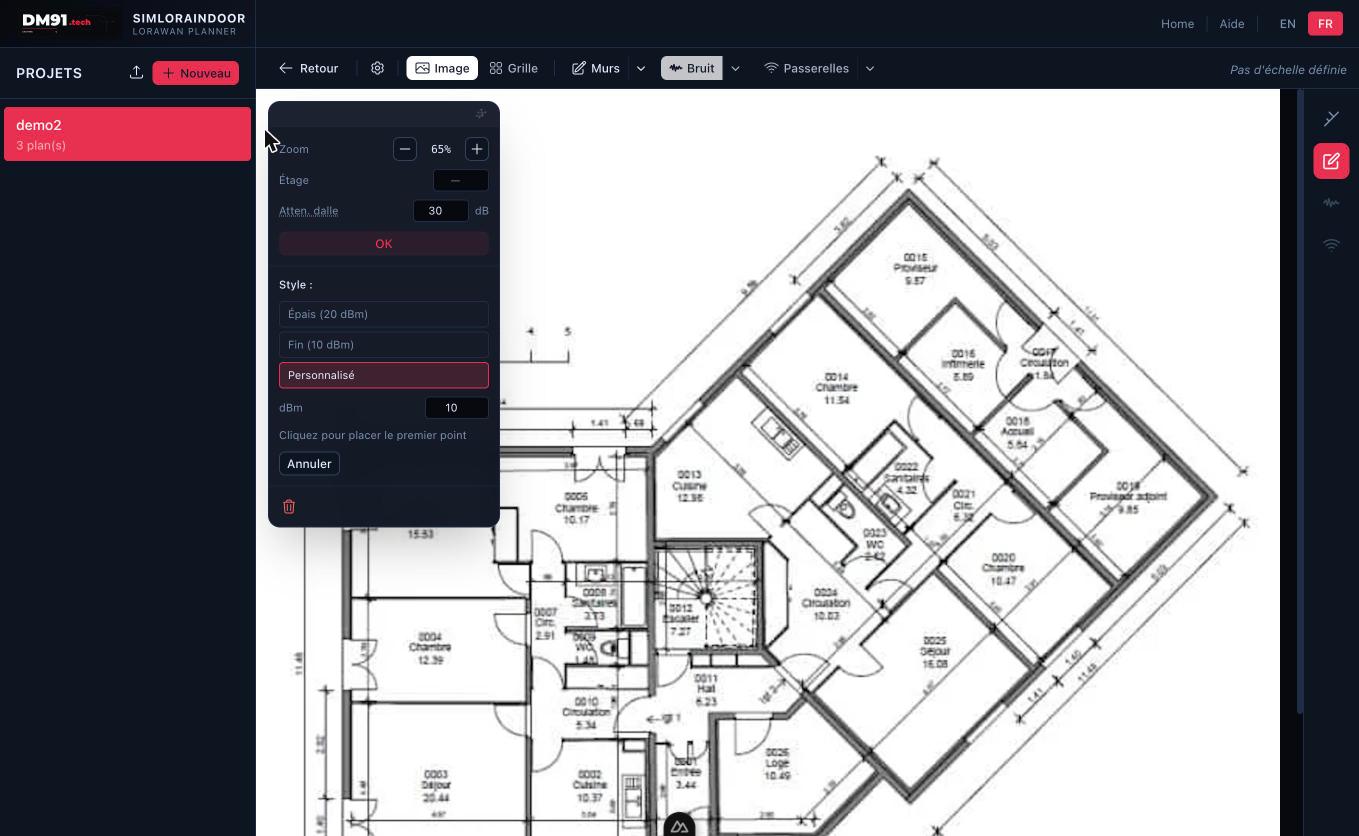
Draw walls
Trace walls on your floor plan and assign RF attenuation values to each wall type (thick, thin, window…).
03
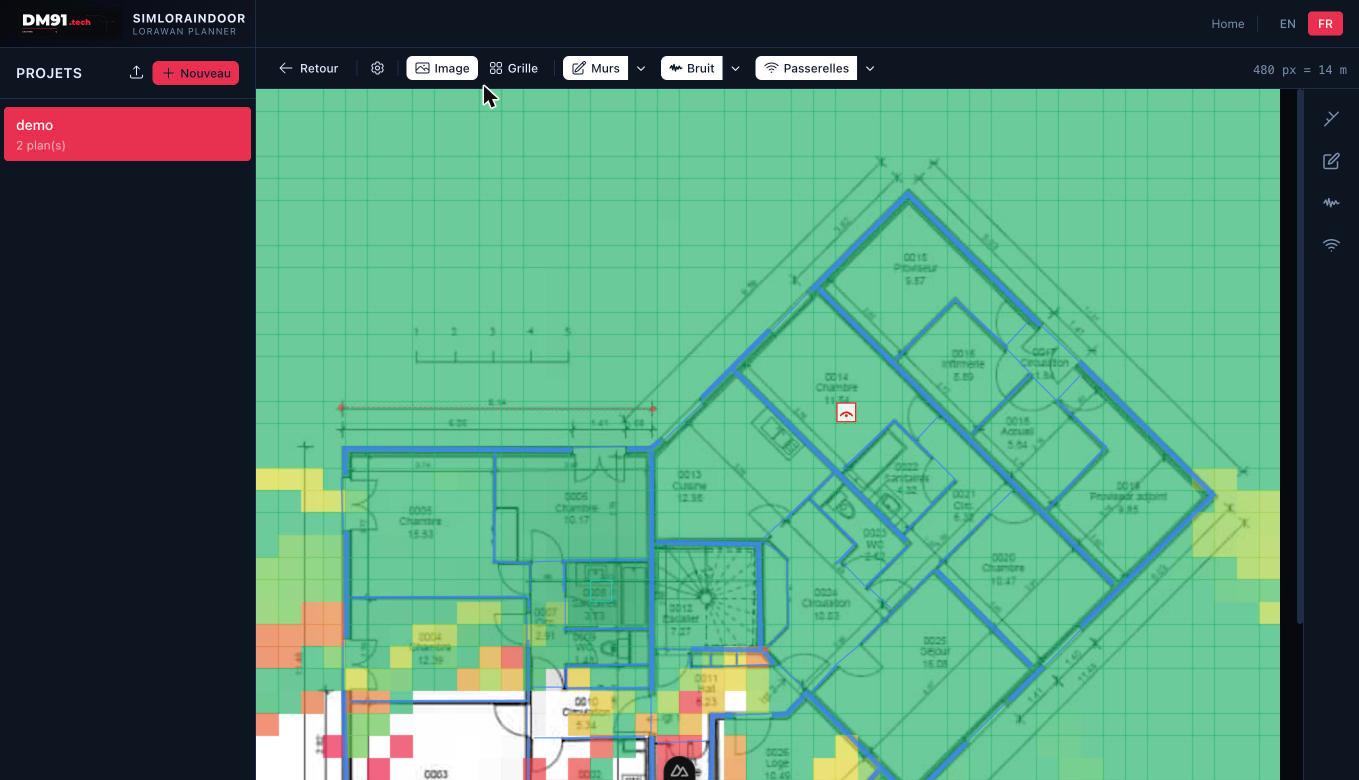
Place gateways & simulate
Drop gateways onto the plan and instantly visualize per-floor radio coverage with the brand-colored heatmap.
04
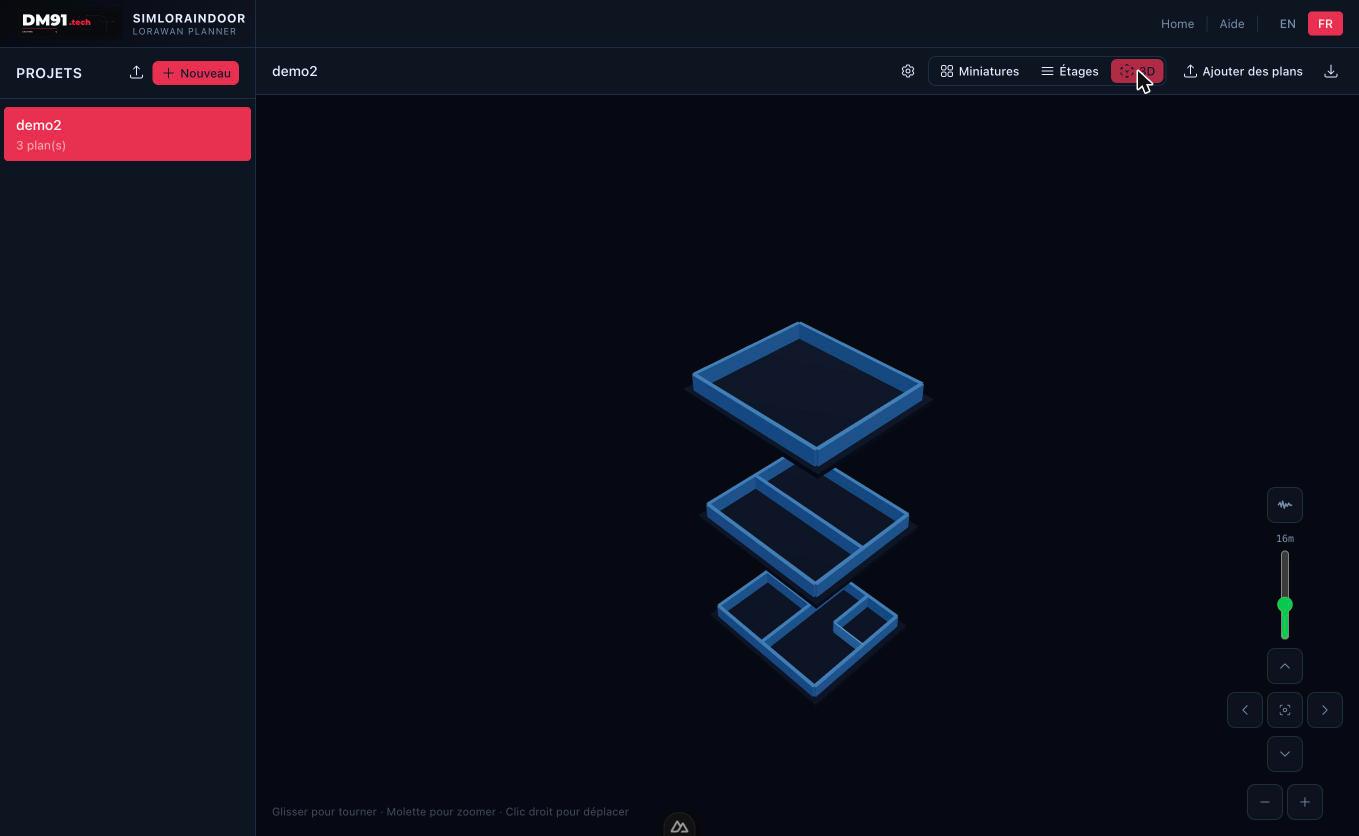
3D multi-floor view
See the complete 3D rendering of all floors stacked, with inter-floor propagation taken into account.