Monitor your HTTP endpoints, track SLA, manage incidents, and publish beautiful public status pages. All in one lightweight Docker container.
A clean admin interface and polished public status pages for your users.
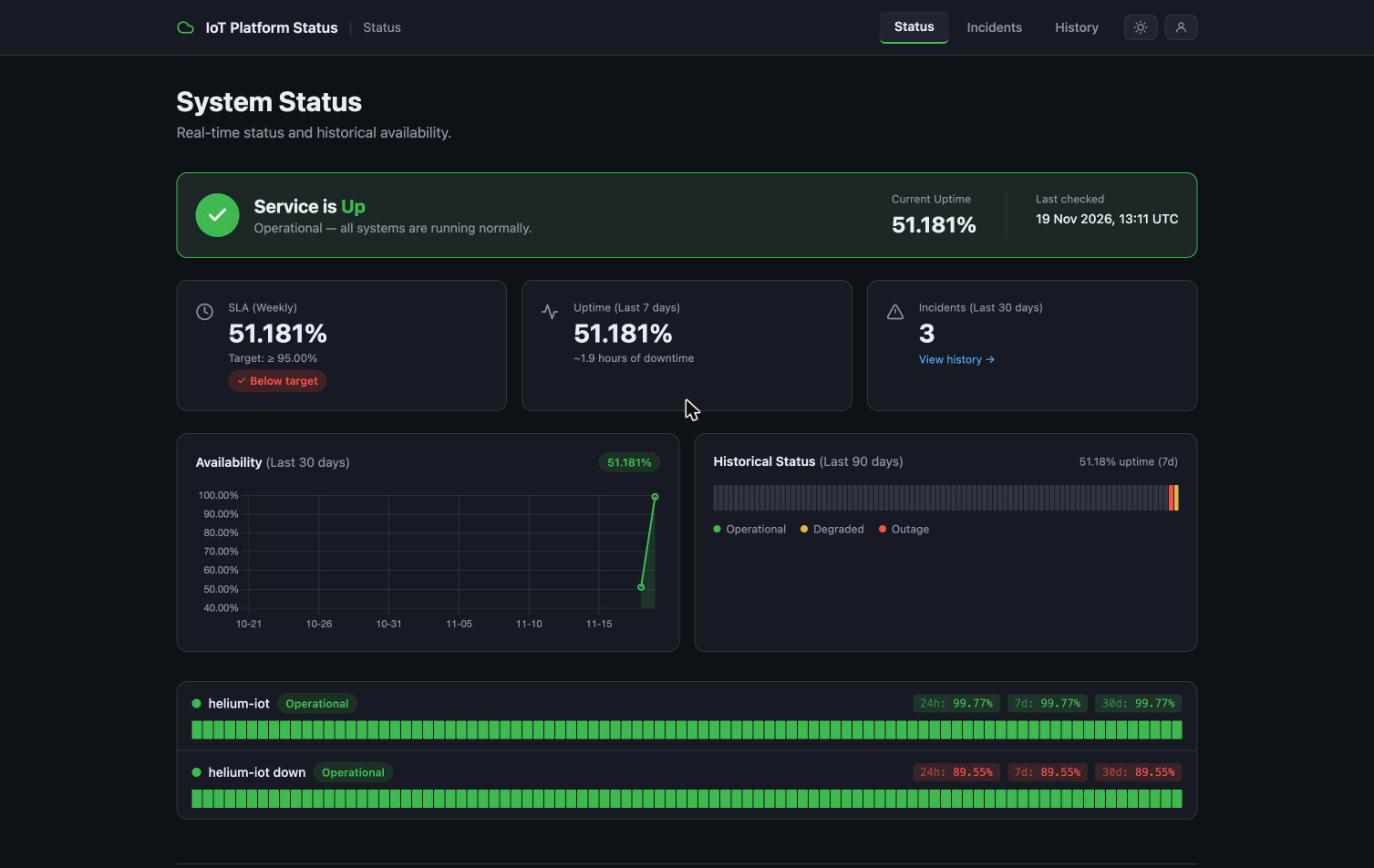
Public status page — SLA tracking & availability history (dark mode)
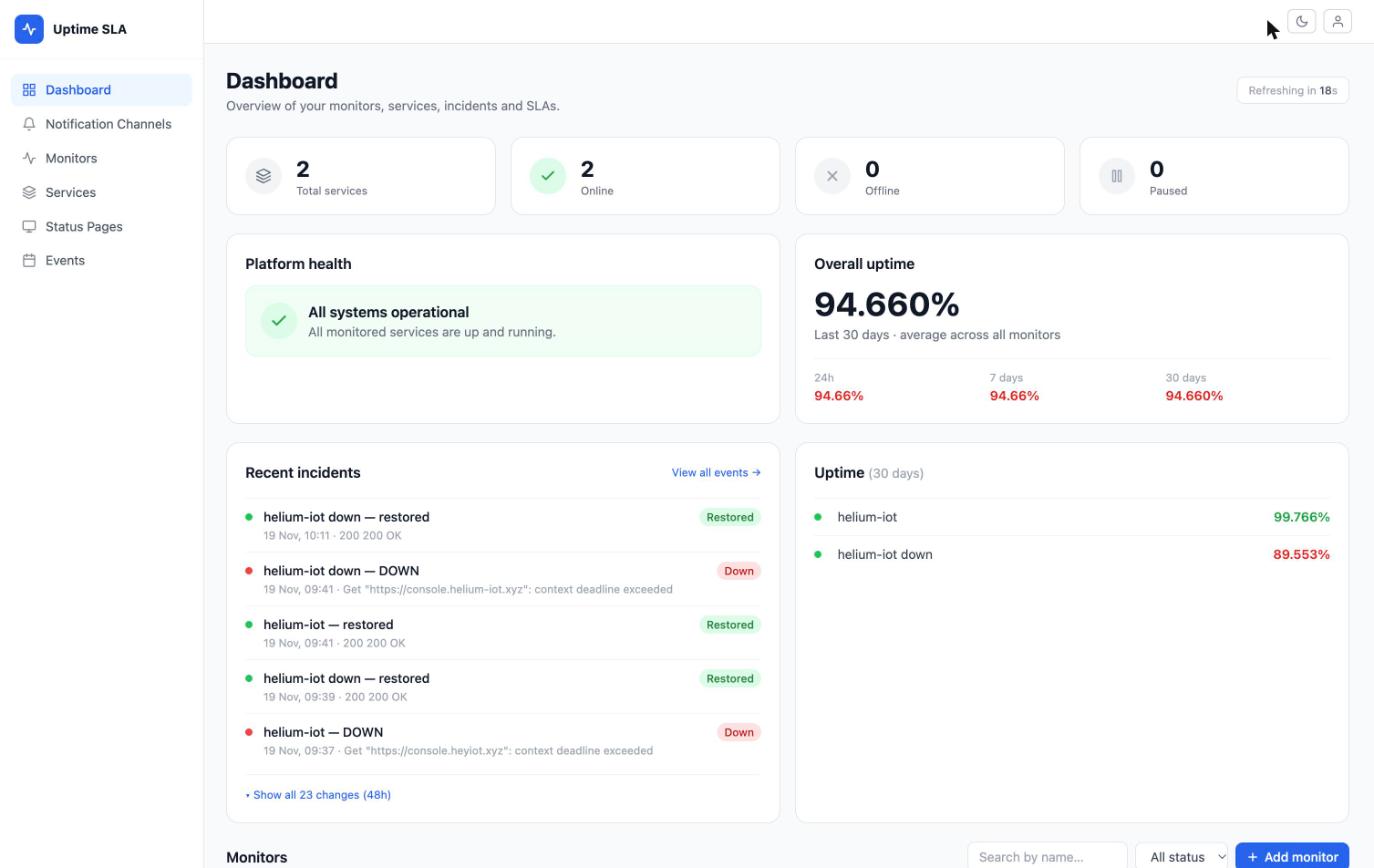
Admin dashboard — incidents, uptime and monitor overview
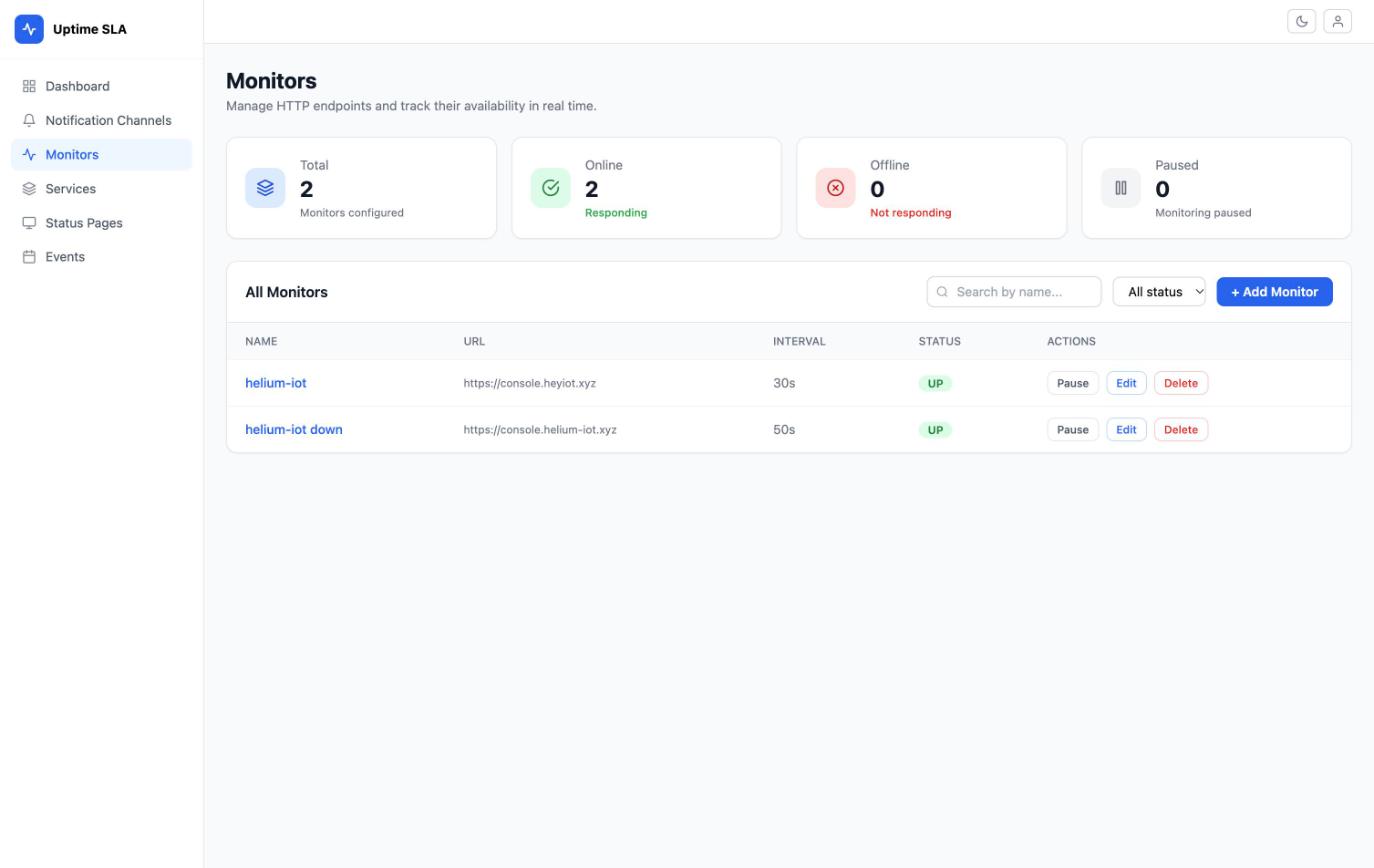
Monitor management — HTTP endpoints with status tracking
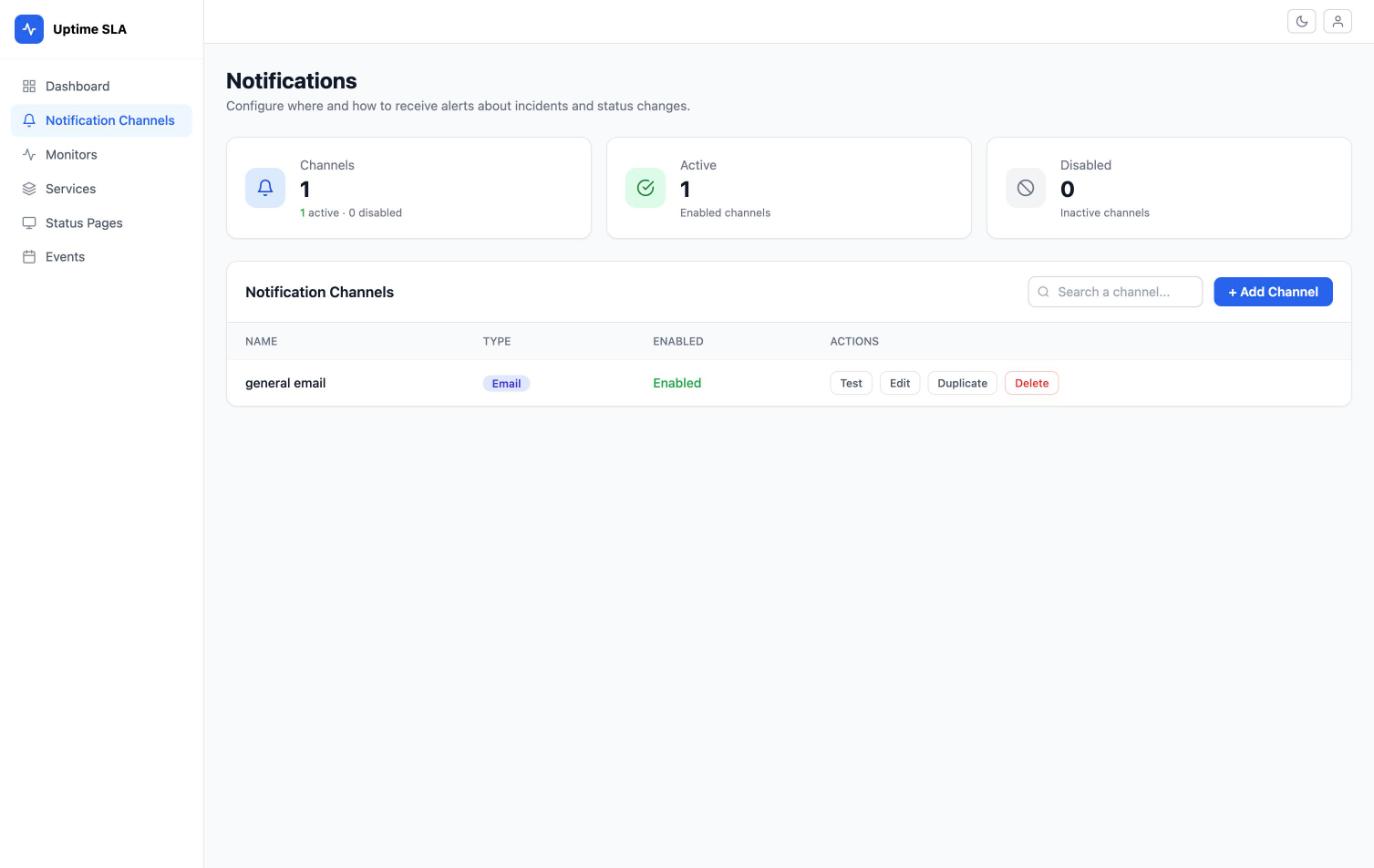
Notification channels — Email, Discord or Webhook alerts
No cloud dependency. No subscription. Just a single Docker container.
Probe any HTTP/HTTPS endpoint at configurable intervals (30 s to 60 min). Tracks status code, response time and availability.
Publish a branded status page at /status/your-slug so users can check service health anytime.
Group monitors into logical services. One service can include multiple endpoints and have its own status page and notification policy.
Create and update incidents or maintenance windows. Post status updates as the situation evolves, from Investigating to Resolved.
Automatically computes uptime percentage over configurable windows. SLA targets shown as green/yellow/red on the status page.
Get alerted on downtime via Email, Discord webhook, or generic HTTP Webhook. Configure per-service notification policies.
Three simple building blocks to get from zero to a live status page.
Define HTTP endpoints to watch. Set the check interval, timeout, and expected response. Uptime SLA probes them continuously and records up/down states.
Group related monitors into a logical service (e.g. "API", "Website"). A service has its own notification channels and links to a status page.
Create a public page at /status/slug. It automatically shows all monitors of the linked service, their current status, SLA, and any active incidents.
One Docker image, one command, done.
disk91/uptime-sla on Docker Hub
.env filemkdir -p data reports
Then create a .env file:
# Required
JWT_SECRET=change-me-to-a-long-random-string
ADMIN_PASSWORD=changeme
# Optional — defaults shown
# SQLite database location
DATA_DIR=/data
# Internal port
PORT=8080
# Token validity
JWT_EXPIRY=24h
# PDF report output directory
REPORT_DIR=/reports
# Use CDN for status page assets
ASSETS_CDN=false
# Public base URL (for notification links and reverse-proxy subpath)
# BASE_URL=https://status.example.com
docker run -d --name uptime --env-file .env \
-v "$(pwd)/data:/data" \
-v "$(pwd)/reports:/reports" \
-p 8080:8080 \
--restart unless-stopped \
disk91/uptime-sla:latest
The app is now running on http://localhost:8080. Open /admin and sign in with admin / changeme, then change your password right away.
First-time setup checklist